
Rust Dropped Item ESP: When to Use Weapons Only
Separate dropped equipment from held weapons and understand what the weapons only filter leaves out.
Start with the dropped item group
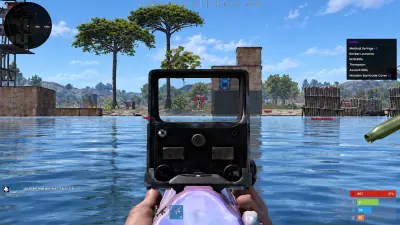
Dropped item ESP has its own toggle, colour and distance slider. It also includes a weapons only filter. These controls apply to items on the ground, rather than every object in the overlay. If you are trying to find equipment among several kinds of markers, first check that you are adjusting the dropped item group itself.
Use the filter for a specific search
Weapons only narrows the dropped item display to weapons. That can make the view easier to read when equipment is the reason you enabled the group. It also means other dropped items fall outside the filtered view. Turn the filter off when your search includes other item types, instead of treating a weapons only display as a complete list of available loot.
Keep held equipment fields distinct
Player ESP can show a held item or held weapon. Those fields describe equipment associated with a displayed player. They are separate from dropped item ESP and its weapons only filter. If a weapon label is still visible after changing the ground item settings, check which group supplies it before assuming the filter failed. The player ESP guide explains those fields.
Reduce clutter without narrowing item types
The dropped item distance slider offers another way to reduce distant labels while keeping the broader item selection. Choose a colour that remains distinguishable from trap and resource markers. Review the display with only the groups relevant to your search enabled. The Rust product page lists the documented controls, and the base object guide explains the separate stash, cupboard and defensive object groups.