
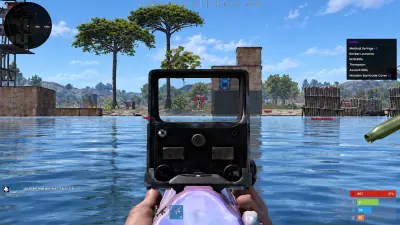
Rust Base Object ESP: Stashes, Cupboards and Traps
Understand the separate stash and cupboard toggles and the shared controls for six defensive object types.
Keep stashes and cupboards separate
Hidden stashes and tool cupboards have independent toggles. Their markers help identify the corresponding objects through structures and terrain. A marker shows an object’s location; it does not establish the value of stored loot or the activity of a base’s occupants. Treat those conclusions separately from what the overlay actually displays when deciding which information deserves attention.
Know what the trap group includes
The documented group covers shotgun traps, auto turrets, snap traps, flame turrets, land mines and SAM sites. It has a master toggle, colour setting and distance slider. The list names the defensive objects the group covers. It does not document separate range sliders for each trap type or a setting that automatically decides which threats matter most.
Choose a useful shared range
A busy compound can place several defensive markers close together. Adjust the trap group’s distance and check whether you can still read individual objects. Because the range is shared, changing it affects the group together. Make the colour distinct from player and dropped item markers so a defensive object is less likely to blend into another kind of information.
Keep the display’s limits in view
Trap ESP does not disarm a trap or guarantee a safe approach. Tool cupboard visibility does not confirm ownership details beyond the object information displayed. For equipment on the ground, use the separate dropped item controls. Read the full Rust product description for supported fields and dependencies. The existing filtering guide also explains how base objects fit beside resource and player groups.