
Cloud DMA
Required for full Rust functionality, using Hyper V on one PC.
In short
A Hyper V environment on one PC
The guided installer sets up the virtual environment and activates the service over an encrypted connection.
Overview
Cloud DMA on one Windows PC
The required Rust infrastructure, with three additional purchases to prepare.
Cloud DMA runs its virtual environment on your gaming PC. The installer sets up Hyper V and activates the service over an encrypted connection.
Cloud DMA requires GREENWARD, Static Server and AWS as three separate additional purchases. None is bundled with Rust Cheats.
The infrastructure required by Rust Cheats
Cloud DMA runs a Hyper V environment on the gaming PC and activates through an encrypted connection. It is a separate required layer for full Rust functionality. A Rust license does not include Cloud DMA, and a Cloud DMA license does not include the Rust overlay.
Three further required purchases
GREENWARD, Static Server and AWS are distinct products. All three are required and purchased separately. Static Server and AWS are not alternative names for one purchase. Check each account and access requirement before ordering the Rust subscription.
Prepare one Windows PC
Use 64 bit Windows 10 or 11 with Hyper V available. Pro, Enterprise or Education is recommended. Enable Intel VT x or AMD V, TPM and Secure Boot in firmware, plus HVCI and Core Isolation in Windows Security. The minimum is 8 GB RAM; 16 GB is recommended for this infrastructure. A stable broadband connection is needed.
Installation and license scope
The guided installer provisions the virtual environment. Follow the account instructions for activation and ongoing connectivity. Cloud DMA provides lifetime access to its infrastructure layer. It does not supply a second computer, an external DMA device or ban immunity.
Included
Cloud DMA features
The lifetime license covers the Cloud DMA infrastructure layer.
- Setup on one PC
- Guided Hyper V installation
- Encrypted activation
- Lifetime access
Setup
From purchase to activation
Follow the Windows and Hyper V checks before you run the installer.
Setup
- Layer A
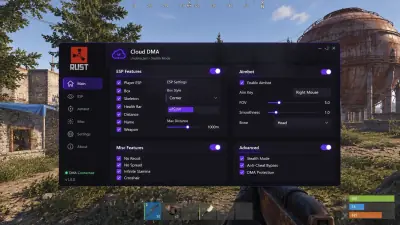
Cloud DMA interface illustration
Owner supplied interface concept. Controls and claims shown in the artwork are illustrative, not verified Cloud DMA product specifications.
More products
Pairs well with
Explore the other three products and their setup requirements.
- Rust Cheats Player, resource and base object ESP with adjustable aim and separate recoil axes. View details: Rust Cheats
- HWID Spoofer Account sanctions remain separate. Rust is listed under EAC; ban immunity is not guaranteed. View details: HWID Spoofer
- Skin Changer Confirm the title first. This purchase adds no tradable inventory items. View details: Skin Changer
FAQ
Questions about this page
Answers for this page. The FAQ page holds the rest.
Blog
Related guides
Understand the menu and the purchase requirements before configuring your overlay.
Understand the separate purchases, Windows preparation and account instructions behind the Cloud DMA setup.
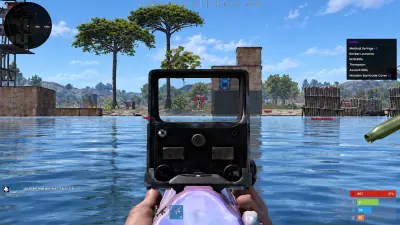
A buyer’s checklist for Windows, five separate purchases, account delivery and patch compatibility.
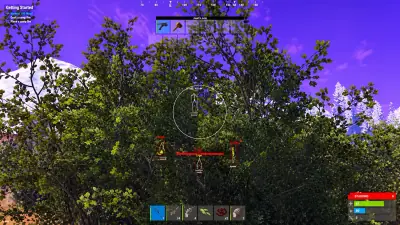
Know where keys arrive, how manual review works and what compatibility updates mean for an active subscription.