
Rust Movement and Camera Options: What Is Listed
Read the movement, lighting, zoom and FOV controls without assuming undocumented behavior or key binds.
Read each movement option separately
The misc menu lists spiderman, infinite jump, low gravity, no fall damage, climb assist, a second climb assist variant, flyhack and self kill. These are separate entries in the product’s feature set. Their names do not establish exact movement speeds, reachable heights or a guarantee that a server will accept the resulting movement. Check the product breakdown for the documented list.
Confirm the binds that are documented
Climb assist and flyhack have assignable keys. The presence of a second climb assist entry does not establish a second documented bind or a particular split between wall and terrain behavior. Avoid building a control plan around that assumption. Ask Support for current instructions if the distinction between those variants is essential to your setup.
Separate lighting from camera controls
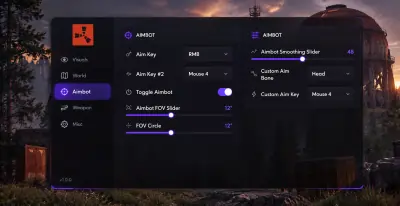
Bright night and fullbright are listed world options. Zoom has its own key, while the FOV changer has a value slider. These camera and lighting controls serve a different purpose from aimbot FOV. The aiming FOV setting defines the aiming area; changing the camera view should not be treated as changing the targeting area. The aiming guide explains the separate controls.
Keep named entries within their known scope
AdminFlag and stash exploit also appear in the misc group, but their names do not confirm permissions or exact behavior. Longneck, shortneck and the two peek directions are separately listed controls with key binds. Follow current instructions rather than inferring additional effects from the artwork. Compatibility can change after patches, and these tools can lead to penalties. Review the setup checklist before purchasing for a particular option.